The Ultimate Guide to JPG Converters: Everything You Need to Know
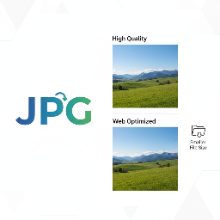
In the vast world of digital images, the JPG (or JPEG) format is arguably the most recognized and widely used. From digital cameras to websites and social media, JPG is the go-to format for photographs. But what exactly is it, and why would you need a JPG converter? This guide will break it all down.
What is JPG?
JPG (Joint Photographic Experts Group) is a file format that uses lossy compression. This is its most important characteristic. "Lossy" means that when an image is saved as a JPG, some of the original image data is permanently discarded to make the file size smaller. This process is designed to remove details that the human eye is least likely to notice.
The result is a file that can be dramatically smaller than other formats like PNG or BMP, which is why JPG is the standard for photographs on the web. A smaller file size means faster loading times for websites and less storage space used.
Why Use a JPG Converter?
A JPG converter is a tool that transforms other image file types (like PNG, WEBP, BMP, or TIFF) into the JPG format. You might need to do this for several reasons:
- Web Optimization: If you have a high-quality PNG logo or a screenshot that you need to use in a context where file size is more important than perfect quality, converting it to a compressed JPG can significantly speed up page loads.
- Compatibility: While most modern devices support various formats, JPG is universally compatible. Converting to JPG ensures your image can be opened and viewed by almost anyone on any device.
- Emailing and Sharing: Sending a massive 10MB PNG file can be difficult. Converting it to a 1MB JPG makes it much easier to email or upload.
Balancing Quality and File Size
The key to using JPG effectively is managing the compression level. Most image editors and converters allow you to choose a quality setting, usually on a scale from 0 to 100.
- 100 Quality: Minimal compression, largest file size, best possible quality.
- 60-80 Quality: A good range for most web use. This provides a great balance, with significant file size reduction and very little noticeable loss in quality.
- Below 50 Quality: Aggressive compression. The file size will be tiny, but you will likely see noticeable artifacts like blockiness and blurriness.
When NOT to Use JPG
JPG is not the best choice for every image. You should avoid it if your image requires:
- Transparency: JPG does not support transparent backgrounds. For that, you need PNG or GIF.
- Sharp Lines and Text: The compression can make text and sharp lines in logos or illustrations look fuzzy. PNG is the superior choice for these graphics.
Understanding when and how to convert images to JPG is a fundamental skill for anyone working with digital media. By using a JPG converter wisely, you can ensure your images are optimized, compatible, and perfectly balanced for their intended use.