From Image to Spreadsheet: A Guide to Free Image to Excel Converters
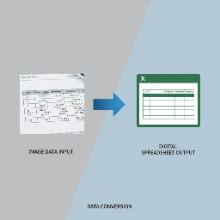
Data entry is one of the most time-consuming and error-prone tasks in any business. Manually typing numbers from an invoice, a bank statement, or a printed report into a spreadsheet is tedious work. Thankfully, free online Image to Excel converters offer a powerful solution, using Optical Character Recognition (OCR) to automate this process and save you countless hours.
What is an Image to Excel Converter?
An Image to Excel converter is a specialized OCR tool designed not just to read text, but to recognize the structure of a table within an image. It identifies rows, columns, and cells, and then extracts the data and organizes it into a fully formatted, editable Excel spreadsheet (.xlsx). This is a significant step up from a simple image-to-text converter, which would just pull out the text without preserving the tabular format.
When Should You Use This Tool?
This technology is incredibly useful in any situation where you have tabular data trapped in an image format:
- Digitizing Invoices and Receipts: Quickly extract line items, quantities, and prices for accounting or expense tracking.
- Academic and Scientific Research: Capture data tables from printed studies, textbooks, or research papers without manual transcription.
- Converting Bank Statements: Turn a scanned or photographed bank statement into a spreadsheet for easy financial analysis.
- Updating Legacy Documents: If you have old inventory lists or financial reports that only exist in printed form, you can photograph them and convert them into functional spreadsheets.
Tips for Getting the Most Accurate Results
The accuracy of the data extraction depends heavily on the quality of the source image. For the best results, follow these simple guidelines:
- Start with a Clear Image: Use a scanner for the best quality. If using a camera, ensure the document is flat, well-lit, and the photo is taken from directly above to avoid distortion.
- High Contrast is Key: Clear, dark text on a plain, light background will always yield better results. Avoid shadows or busy backgrounds.
- Check for Clean Lines: Ensure the table's grid lines are clear and unbroken if possible. This helps the OCR software correctly identify the cell structure.
- Proofread the Output: While modern OCR is incredibly accurate, it's not perfect. Always spend a few minutes reviewing the generated Excel file to catch any potential misinterpretations, especially with numbers and symbols.
By leveraging a free online Image to Excel converter, you can streamline your data entry workflow, reduce errors, and free up valuable time. It's a perfect example of how smart, accessible tools can make a significant impact on productivity.