What to Look for in a Free Online Image Converter
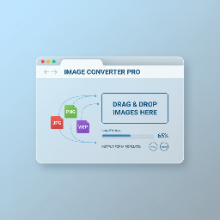
A quick search for "free image converter" yields thousands of results. With so many options, how do you choose the right one? While many online tools can get the job done, not all are created equal. This guide will walk you through the essential features to look for in a high-quality, reliable online image converter.
1. Privacy and Security: Where Do Your Files Go?
This is the most critical factor. Many online converters require you to upload your images to their servers for processing. This can be a privacy risk, especially if you're working with sensitive or personal photos. The gold standard for privacy is a tool that performs all conversions directly in your browser.
Client-side processing (in-browser) means your files never leave your computer. Tools like our Bulk Image Converter operate this way, ensuring your data remains 100% private. Always check a site's privacy policy before uploading.
2. Bulk Processing: The Ultimate Time-Saver
If you need to convert more than one or two images, a tool that only handles files one by one is incredibly inefficient. A good converter should support bulk or batch processing, allowing you to drag and drop dozens of images at once and convert them all with a single click. This feature is a must-have for anyone working with photo galleries, product images, or large projects.
3. Comprehensive Conversion Options
A versatile tool should offer more than just basic format changes. Look for a converter that provides a range of optimization settings:
- Format Support: It should handle all the modern web formats, including JPG, PNG, and the highly efficient WebP.
- Resizing: The ability to set maximum width or height is essential for creating properly sized images for web and email.
- Compression Control: Look for options to set a target file size (e.g., under 500KB) or adjust the quality level to find the perfect balance between size and clarity.
4. An Intuitive and Ad-Free Interface
The best tools are easy to use. The interface should be clean, straightforward, and free from confusing clutter. A simple drag-and-drop upload area, clearly labeled settings, and a simple conversion process make the experience smooth and efficient. Be wary of sites that are overloaded with intrusive ads, as they can be a sign of a lower-quality service and can make the tool difficult to use.
Conclusion
Choosing a free online image converter doesn't have to be a gamble. By prioritizing privacy, seeking out powerful features like bulk processing, and opting for a clean user experience, you can find a reliable tool that will become an essential part of your workflow.