How to Convert Image to PDF Under 500KB
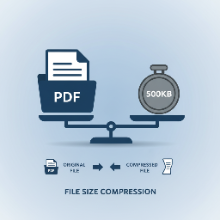
Many online portals for job applications, government services, or academic submissions have strict file size limits. A common requirement is that your uploaded documents, such as a scanned ID or a signed form, must be in PDF format and under a certain size, like 500KB. If your original image is a high-resolution photo from your smartphone, the resulting PDF can easily exceed this limit. This guide will show you how to successfully convert your images to PDF while ensuring the final file is compact and under 500KB.
Why File Size Matters
File size limits are in place for several reasons:
- Storage Efficiency: Smaller files take up less space on servers.
- Faster Processing: Compact files are quicker to upload for the user and process for the system.
- Bandwidth Management: Limiting file sizes prevents network congestion.
Meeting these requirements is crucial for your submission to be accepted.
Step-by-Step Guide to a Sub-500KB PDF
The key to a small PDF is to optimize the image *before* you convert it. A PDF is essentially a container for the image, so the image's file size is the biggest factor.
Step 1: Check Your Original Image Size
First, look at the properties of your image file (e.g., JPG, PNG). If it's already under 450KB, converting it to a PDF will likely keep it under the 500KB limit. If it's larger, you'll need to compress it.
Step 2: Resize the Image Dimensions
A photo from a modern camera can be over 4000 pixels wide. For a document, this is overkill. Resizing the dimensions is the most effective way to reduce file size. A width of 1200-1500 pixels is usually more than enough for a clear, readable A4-sized document. Use an online tool like our Bulk Image Converter to set a max width while maintaining the aspect ratio.
Step 3: Compress the Image
If resizing isn't enough, you'll need to apply compression. If your image is a photograph or a scan with gradients, converting it to a JPG is your best bet.
- Use a JPG Converter: Upload your image to a converter tool.
- Adjust the Quality Setting: Aim for a quality setting between 60 and 80. This usually provides a significant size reduction with minimal visual impact. Our tool has a "Target Size" feature that can automate this for you.
- Download the Optimized Image: Save the new, smaller JPG file. It should now be well under 500KB.
For simple black and white documents, you could also try saving the image as a PNG-8 or even a GIF to reduce the color palette, which drastically cuts down on size.
Step 4: Convert the Optimized Image to PDF
Now that you have a small image file, use a free online "Image to PDF" converter. Upload your optimized image, and the resulting PDF will be lightweight and ready for submission. Because the image inside the PDF is already small, the final document will easily meet the 500KB requirement.
By following this pre-optimization process, you can confidently create PDFs that meet any size restriction without sacrificing the readability of your documents.